Bring media into view
Create one place to review the content and the evidence available with it.
%20--%3e%3csvg%20width='10.365639mm'%20height='15.192757mm'%20viewBox='0%200%2010.365638%2015.192757'%20version='1.1'%20id='svg79707'%20inkscape:version='1.4.3%20(1:1.4.3+202512261035+0d15f75042)'%20sodipodi:docname='inreality.svg'%20inkscape:export-filename='student_job_posting_2.pdf'%20inkscape:export-xdpi='96'%20inkscape:export-ydpi='96'%20inkscape:export-batch-path='export'%20inkscape:export-batch-name=''%20xml:space='preserve'%20xmlns:inkscape='http://www.inkscape.org/namespaces/inkscape'%20xmlns:sodipodi='http://sodipodi.sourceforge.net/DTD/sodipodi-0.dtd'%20xmlns:xlink='http://www.w3.org/1999/xlink'%20xmlns='http://www.w3.org/2000/svg'%20xmlns:svg='http://www.w3.org/2000/svg'%3e%3csodipodi:namedview%20id='namedview79709'%20pagecolor='%23ffffff'%20bordercolor='%23666666'%20borderopacity='1.0'%20inkscape:showpageshadow='2'%20inkscape:pageopacity='0.0'%20inkscape:pagecheckerboard='0'%20inkscape:deskcolor='%23d1d1d1'%20inkscape:document-units='mm'%20showgrid='false'%20inkscape:zoom='1.4142136'%20inkscape:cx='4343.7569'%20inkscape:cy='29.344931'%20inkscape:window-width='1920'%20inkscape:window-height='1011'%20inkscape:window-x='0'%20inkscape:window-y='0'%20inkscape:window-maximized='1'%20inkscape:current-layer='layer1'%20showguides='false'%3e%3cinkscape:page%20x='2.6540307e-05'%20y='-7.1358691e-08'%20width='10.365639'%20height='15.192757'%20id='page19'%20margin='0'%20bleed='0'%20inkscape:label='logo'%20/%3e%3c/sodipodi:namedview%3e%3cdefs%20id='defs79704'%3e%3clinearGradient%20id='linearGradient50'%20inkscape:collect='always'%3e%3cstop%20style='stop-color:%23f97316;stop-opacity:1;'%20offset='0.1701287'%20id='stop50'%20/%3e%3cstop%20style='stop-color:%237c3aed;stop-opacity:1;'%20offset='0.60597193'%20id='stop51'%20/%3e%3c/linearGradient%3e%3cradialGradient%20inkscape:collect='always'%20xlink:href='%23linearGradient50'%20id='radialGradient51-6'%20cx='2489.9111'%20cy='159.33452'%20fx='2489.9111'%20fy='159.33452'%20r='5.0509744'%20gradientTransform='matrix(7.6652778e-4,3.0665387,-3.0681044,7.6677597e-4,2963.71,-7477.2732)'%20gradientUnits='userSpaceOnUse'%20/%3e%3c/defs%3e%3cg%20inkscape:label='Layer%201'%20inkscape:groupmode='layer'%20id='layer1'%20transform='translate(-2475.2363,-156.73378)'%3e%3cpath%20id='circle47-7-2'%20style='fill:url(%23radialGradient51-6);stroke:none;stroke-width:2.26177;stroke-linecap:round;stroke-linejoin:round;stroke-dasharray:none'%20d='m%202476.7676,156.85438%20a%201.3994706,1.3994706%200%200%200%20-1.3994,1.3994%201.3994706,1.3994706%200%200%200%201.3994,1.39939%201.3994706,1.3994706%200%200%200%201.3994,-1.39939%201.3994706,1.3994706%200%200%200%20-1.3994,-1.3994%20z%20m%203.8804,5.1e-4%20a%201.240895,1.240895%200%200%200%20-1.2403,1.24024%201.240895,1.240895%200%200%200%201.2403,1.24023%20c%201.7555,0%202.2551,0.95189%202.2613,1.90221%200.01,0.95032%20-0.4555,1.88516%20-2.2613,1.88516%20a%201.2410191,1.2410191%200%200%200%20-1.0744,1.86087%20l%203.5802,6.20117%20a%201.240895,1.240895%200%200%200%201.6949,0.45527%201.240895,1.240895%200%200%200%200.4553,-1.6955%20l%20-2.7207,-4.7129%20c%201.7641,-0.71447%202.8193,-2.3649%202.8086,-4.01164%20-0.014,-2.18341%20-1.8688,-4.36511%20-4.7439,-4.36511%20z%20m%20-3.8804,4.038%20c%20-0.7753,0%20-1.3994,0.62408%20-1.3994,1.3994%20v%208.11372%20c%200,0.77532%200.6241,1.39991%201.3994,1.39991%200.7753,0%201.3994,-0.62459%201.3994,-1.39991%20v%20-8.11372%20c%200,-0.77532%20-0.6241,-1.3994%20-1.3994,-1.3994%20z'%20/%3e%3c/g%3e%3c/svg%3e)
Securely intake photos and video, understanding edits made and establishing content provenance.
Discuss this product
Evidence ready
Content compared by InReality
Original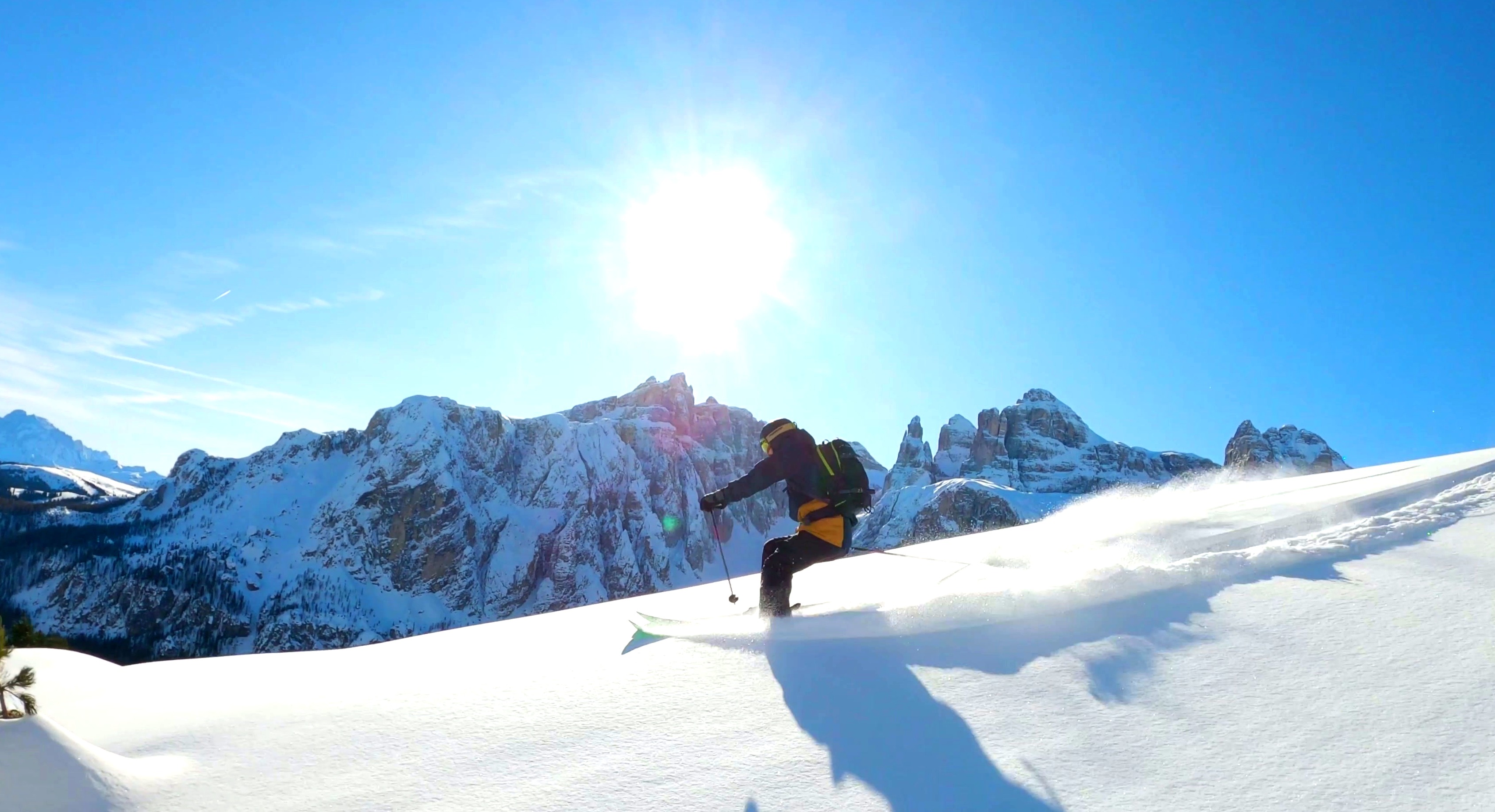 Received
Upload both an edited and original RAW image to understand exactly what edits have been made to the image. InReality shows all standard editing changes made such as:
Media support
Adoption
Bring InReality into an existing product, workflow or customer journey.
Create one place to review the content and the evidence available with it.
Make origin and history information easier for a reviewer to understand.
Compare what reaches the desk with the information attached to the media.
Present useful evidence without claiming an algorithm can decide what is fake.
Tell us where authentic content matters in your world. We’ll show you how InReality fits into your workflow.